Gate Web3 Web:
https://www.gate.com/web3
Gate Web3 Cüzdan Google Chrome:
https://chrome.google.com/webstore/detail/gate-wallet/cpmkedoipcpimgecpmgpldfpohjplkpp
Gate Web3 Cüzdan Uygulaması:
https://www.gate.com/mobileapp
Chrome Uzantısında Gate Web3 Cüzdanı Nasıl Oluşturulur veya İçe Aktarılır?
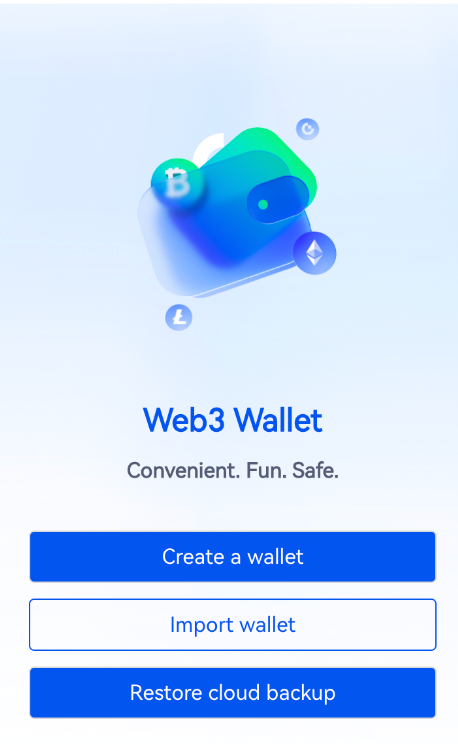
Gate Web3 Cüzdan uzantısının ana sayfasına gidin, "Bir cüzdan oluştur"u seçin ve cüzdanı oluşturmak için şifreyi girin. Halihazırda bir cüzdanınız varsa, "Cüzdanı içe aktar"ı seçebilir ve cüzdanı içe aktarmak için anımsatıcı ifadeler veya özel anahtarlar girebilirsiniz.
Uygulamada Gate Web3 Cüzdanı Nasıl Oluşturulur veya İçe Aktarılır?
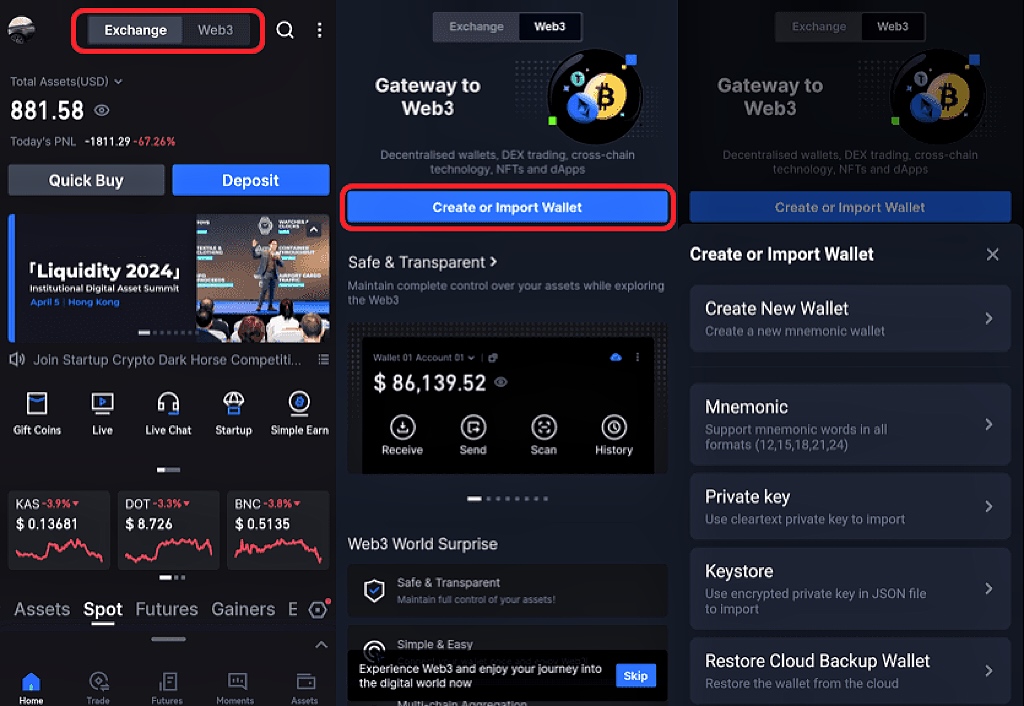
Gate Uygulamasını indirdikten sonra açın, ana sayfanın üst kısmındaki "Web3 "e tıklayın, "Yeni bir cüzdan oluştur "u seçin ve oluşturmak için şifreyi girin. Zaten bir cüzdanınız varsa, "Cüzdanı İçe Aktar "ı seçebilir ve cüzdanı içe aktarmak için anımsatıcı ifadeler veya özel anahtarlar girebilirsiniz.
Uyarı: Lütfen parolanızı ve anımsatıcı ifadelerinizi güvende tutun. Parolanızı ve anımsatıcı ifadelerinizi saklamayacağız. Kaybedilen varlıklarınız geri alınamaz.
Bulut Yedekleme Hakkında
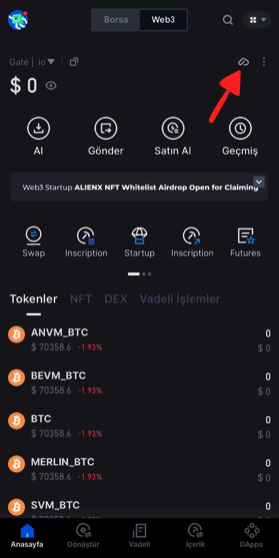
Cüzdanı oluşturduktan sonra, cihazları değiştirirken varlıklarınızı kaybetmemek için lütfen aşağıdaki şekilde bulut yedekleme için gösterilen konuma tıklayın.