


Gate Pay — это удобный инструмент для оплаты и трат, запущенный Gate. Он поддерживает переводы криптоактивов, платежи и покупки у партнерских продавцов Gate Pay, позволяя пользователям беспрепятственно использовать цифровые активы в повседневных ситуациях.
Ниже представлен обзор основных функций и способов использования приложения Gate Pay.
I. Главная
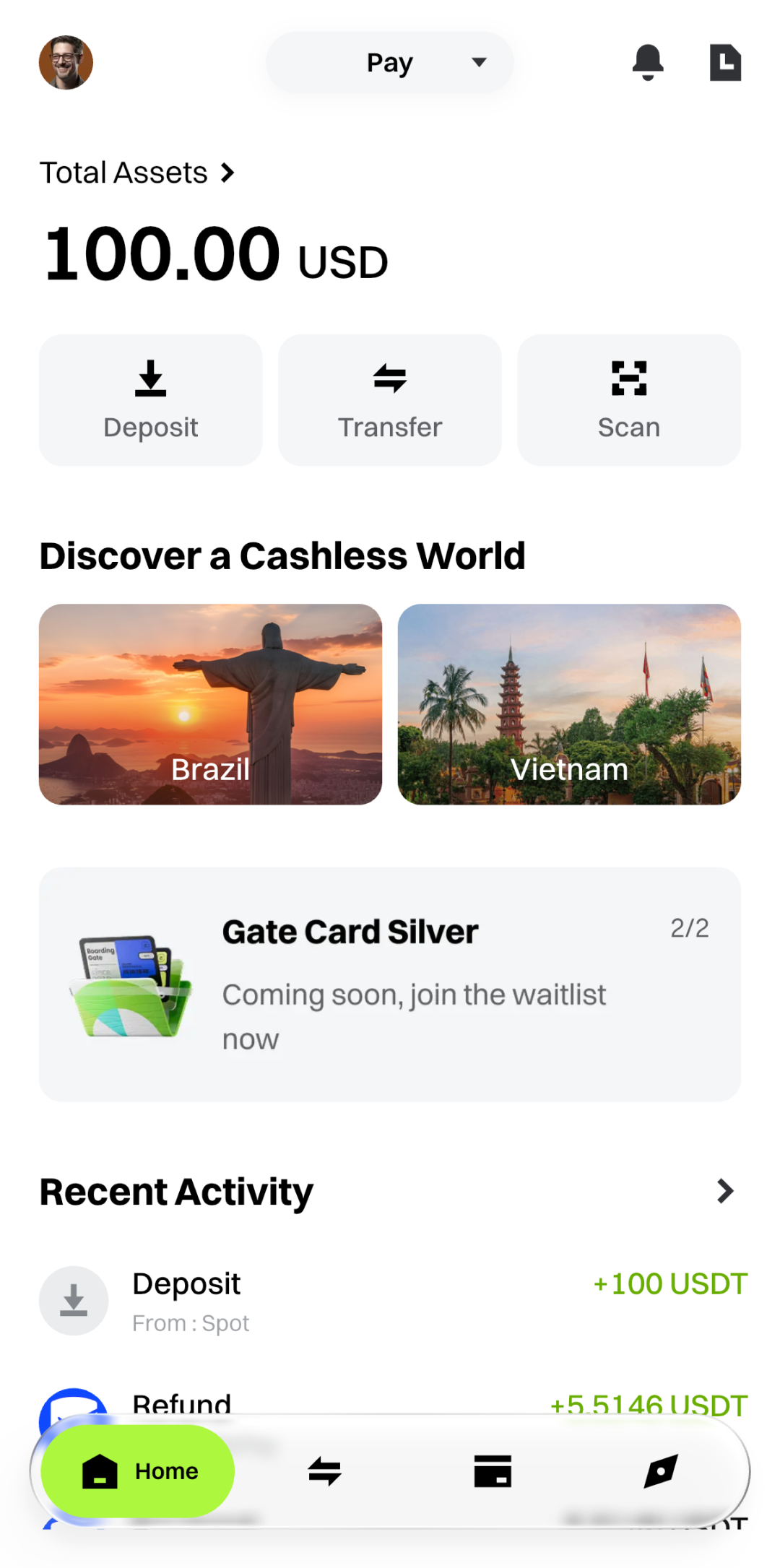
Страница [Главная] служит центральным узлом Gate Pay, предоставляя быстрый доступ к информации о счете и часто используемым функциям.
1. Обзор активов
- Отображает общий баланс вашего платежного счета Gate.
2. Быстрые действия
- Депозит: Перевод средств со спотового счета Gate на платежный счет.
- Перевести: Отправка средств другим пользователям Gate.
- Сканировать: Сканирование QR-кода продавца или пользователя для завершения оплаты.
3. Локальные платежи
- Объединяет точки входа для локальных платежей в разных странах или регионах.
- Нажмите на карточку страны, чтобы просмотреть информацию, связанную с путешествиями по этому направлению.
- Поддерживает оплату по QR-коду с использованием основных локальных платежных систем.
4. Последние операции
- Отображает последние транзакции, такие как оплаты и переводы.
- Нажмите на любую запись, чтобы просмотреть подробную информацию о транзакции.
II. Отправка и получение
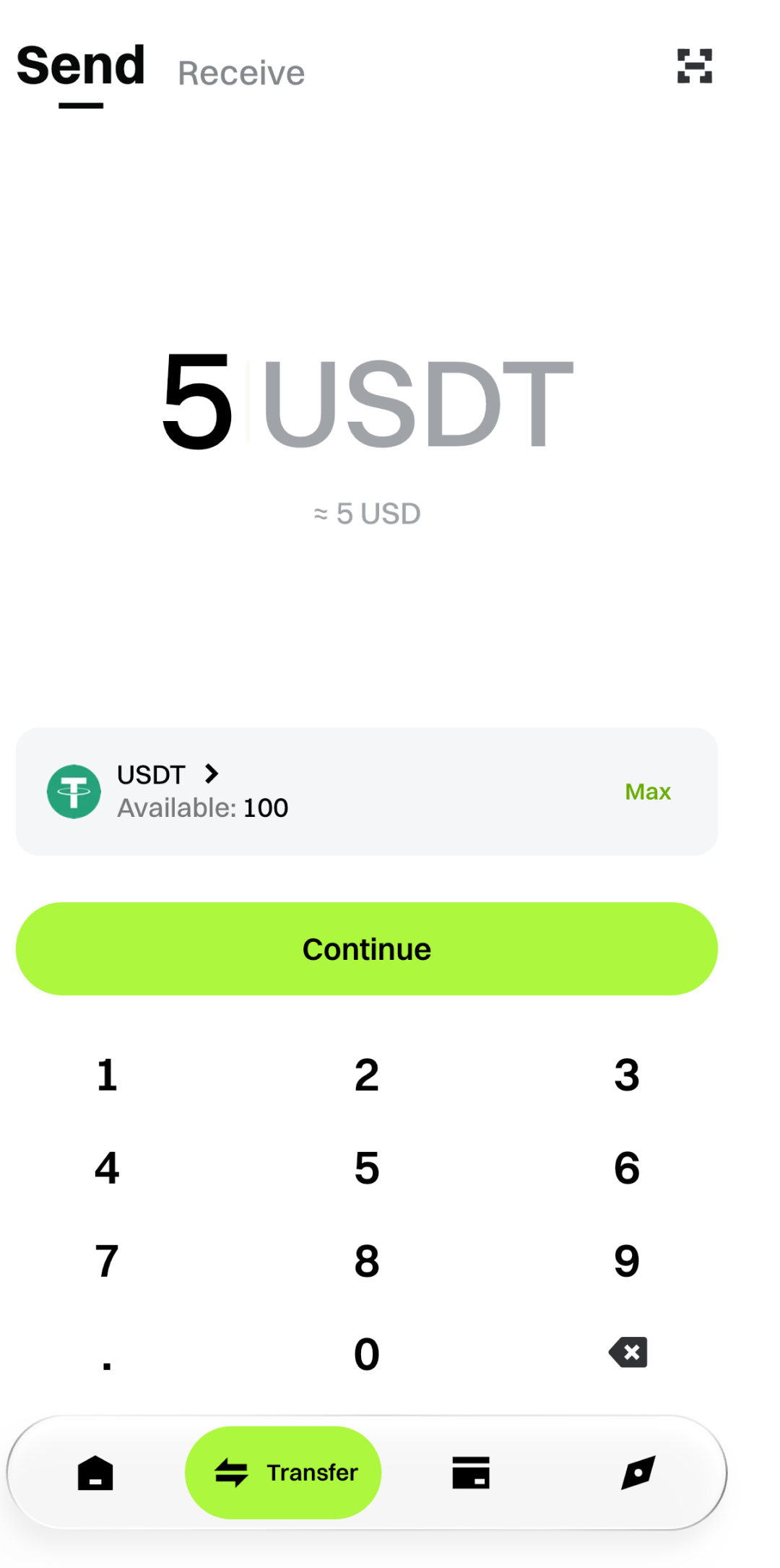
Эта страница предназначена для переводов между пользователями Gate.
Функции
- Отправить: Перевод средств другим пользователям Gate.
- Получить: Отобразить вашу страницу для получения или QR-код, чтобы другие могли перевести вам средства.
- Внутренний перевод: Перевод средств с платежного счета на спотовый счет для гибкого управления активами.
III. Gate Card
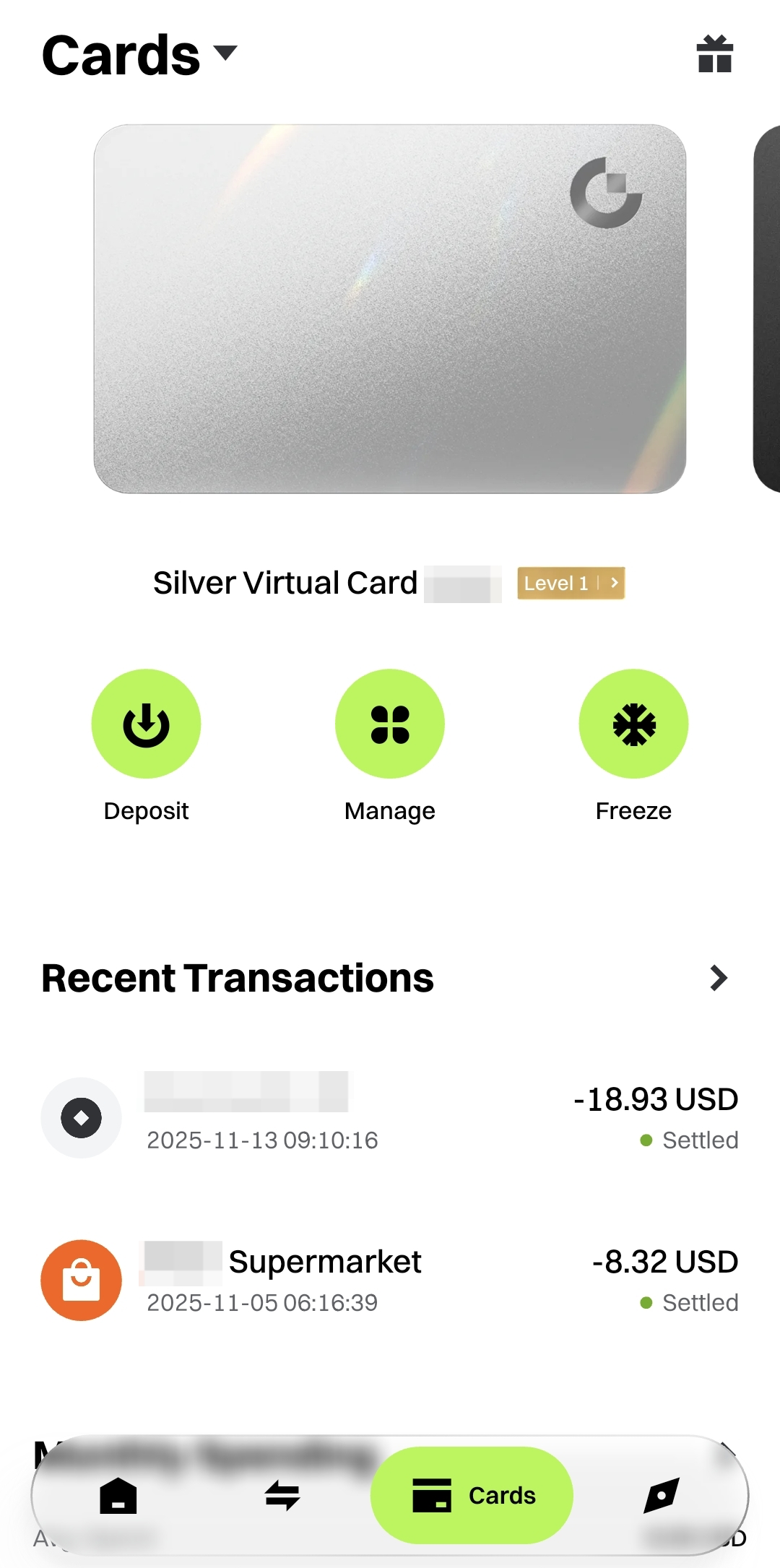
Gate Card — это карточный продукт от Gate, предоставляющий пользователям больше возможностей для оплаты.
Особенности
- Показывает ваши активированные Gate Cards (например, виртуальная карта Silver), включая тип и уровень карты.
- Предлагает быстрые действия с картой: Депозит / Управление / Заморозить.
- Отображает последние операции по карте, включая название продавца, сумму, время и статус расчета.
- Позволяет нажать на транзакцию для просмотра полной информации.
IV. Обзор
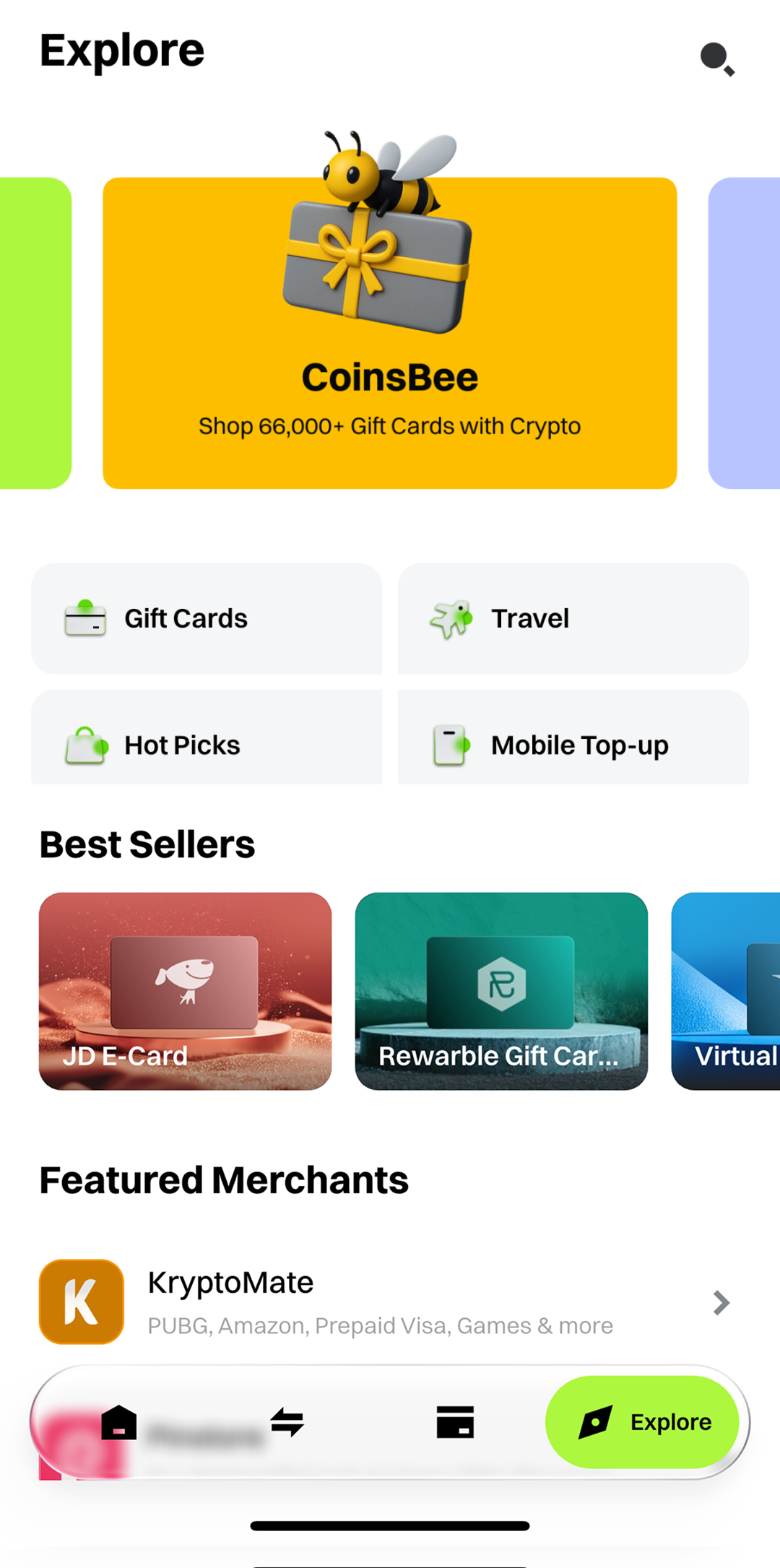
Страница [Обзор] содержит подборку продуктов и партнерских продавцов, позволяя пользователям совершать покупки напрямую через Gate Pay.
Основное содержимое
- Бестселлеры: Просматривайте популярные рекомендуемые товары.
- Избранные продавцы: Мгновенный доступ к платформам партнерских продавцов.
V. Оплата с помощью счета Gate Pay
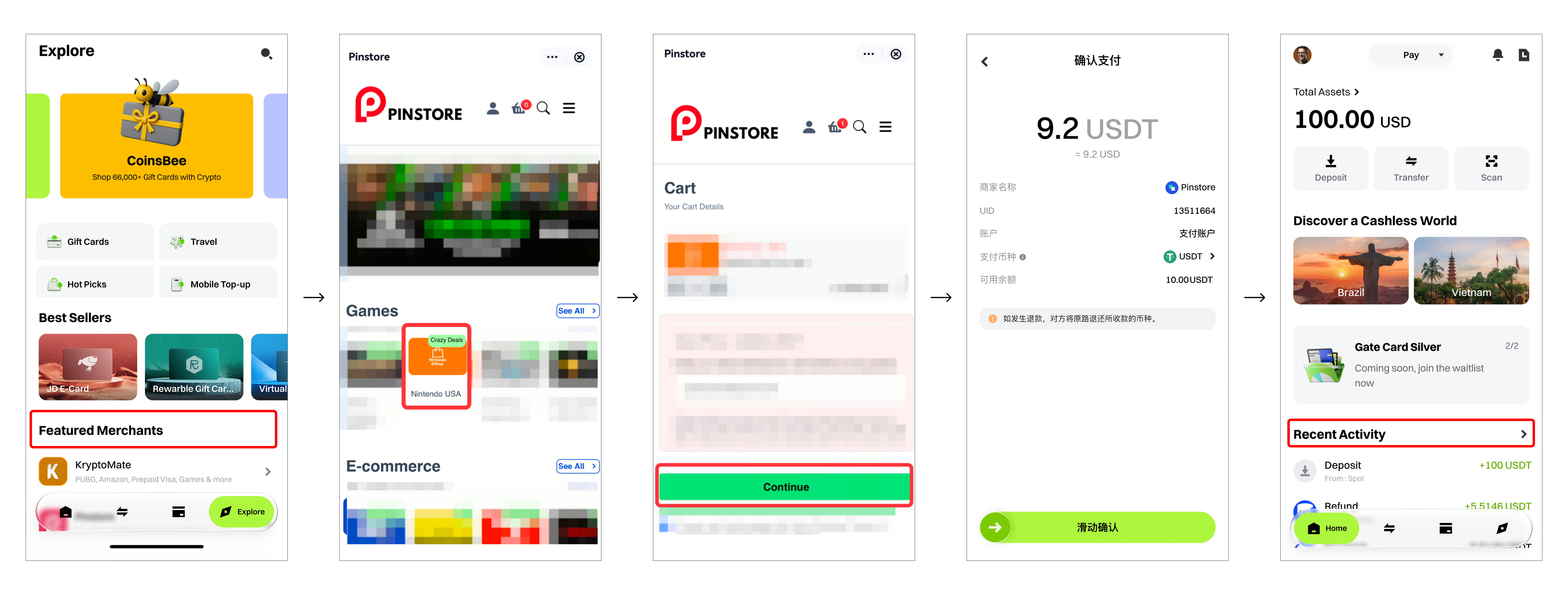
- Выберите продавца или товар на странице [Обзор] или через другие точки входа.
- Вы будете перенаправлены на платформу продавца и перейдете к оформлению заказа.
- Модуль оплаты Gate Pay автоматически активируется для подтверждения суммы и завершения платежа.
- После оплаты детали заказа можно просмотреть в разделе [Последние операции] на странице [Главная].
Содержимое, представленное здесь, предназначено только для справочных и образовательных целей и не является финансовой, инвестиционной, торговой или юридической консультацией, а также не представляет собой предложение или призыв к покупке или продаже каких-либо цифровых активов. Gate не дает никаких явных или подразумеваемых гарантий относительно точности, полноты или актуальности информации, содержащейся в этом материале. Функционал продукта, интерфейсы, правила и структура комиссий могут быть обновлены или изменены в любой момент. Для получения самой точной информации ознакомьтесь с последними объявлениями и фактическими данными, отображаемыми на платформе Gate.
Инвестиции в цифровые активы связаны с существенными рисками, их стоимость может значительно меняться. Вы можете потерять всю сумму своих вложений. Принимайте решения осознанно, учитывая собственное финансовое положение и уровень допустимого риска, после полного ознакомления со всеми сопутствующими рисками. При необходимости рекомендуется проконсультироваться с независимым профессиональным финансовым или юридическим консультантом.
Для получения дополнительной информации о возможных рисках ознакомьтесь с Раскрытием рисков и Пользовательским соглашением Gate.
