


Applicable Instructions
This article applies to: Gate Web
Before you begin: Make sure you have a contract trading account with sufficient available funds
Estimated time required: 3 minutes
Objective
This article will guide you on how to set up and use conditional orders for contract trading on Gate Web.
Steps
Step 1: Access the Conditional Order Setup Page
Locate the conditional order placement area on the contract trading page.
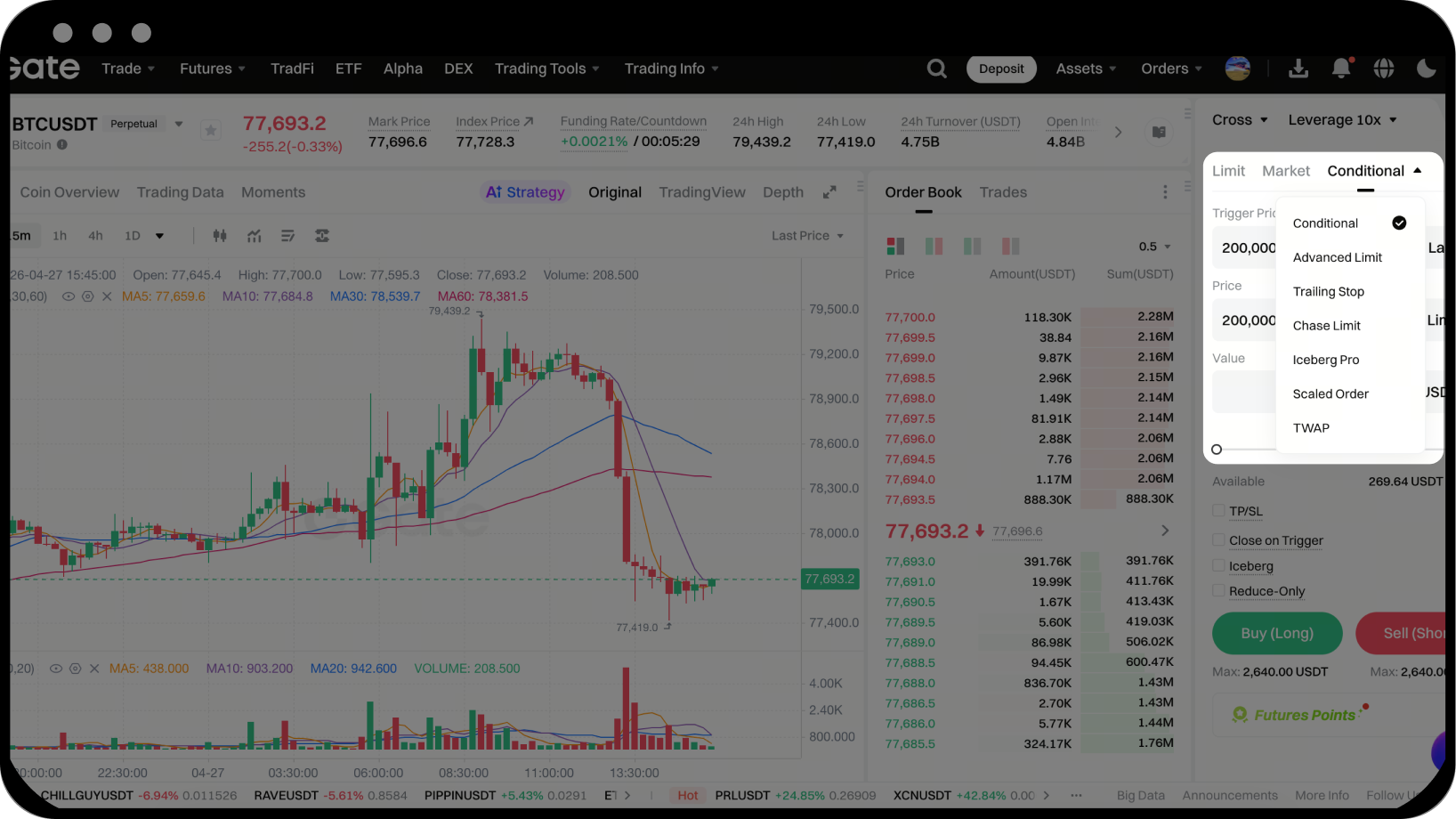
Step 2: Set Trigger Conditions
- Enter your desired trigger price in the "Trigger Price" field.
- Select the trigger type:
- Mark Price: Uses the system mark price as the trigger reference
- Last Price: Uses the latest market transaction price as the trigger reference
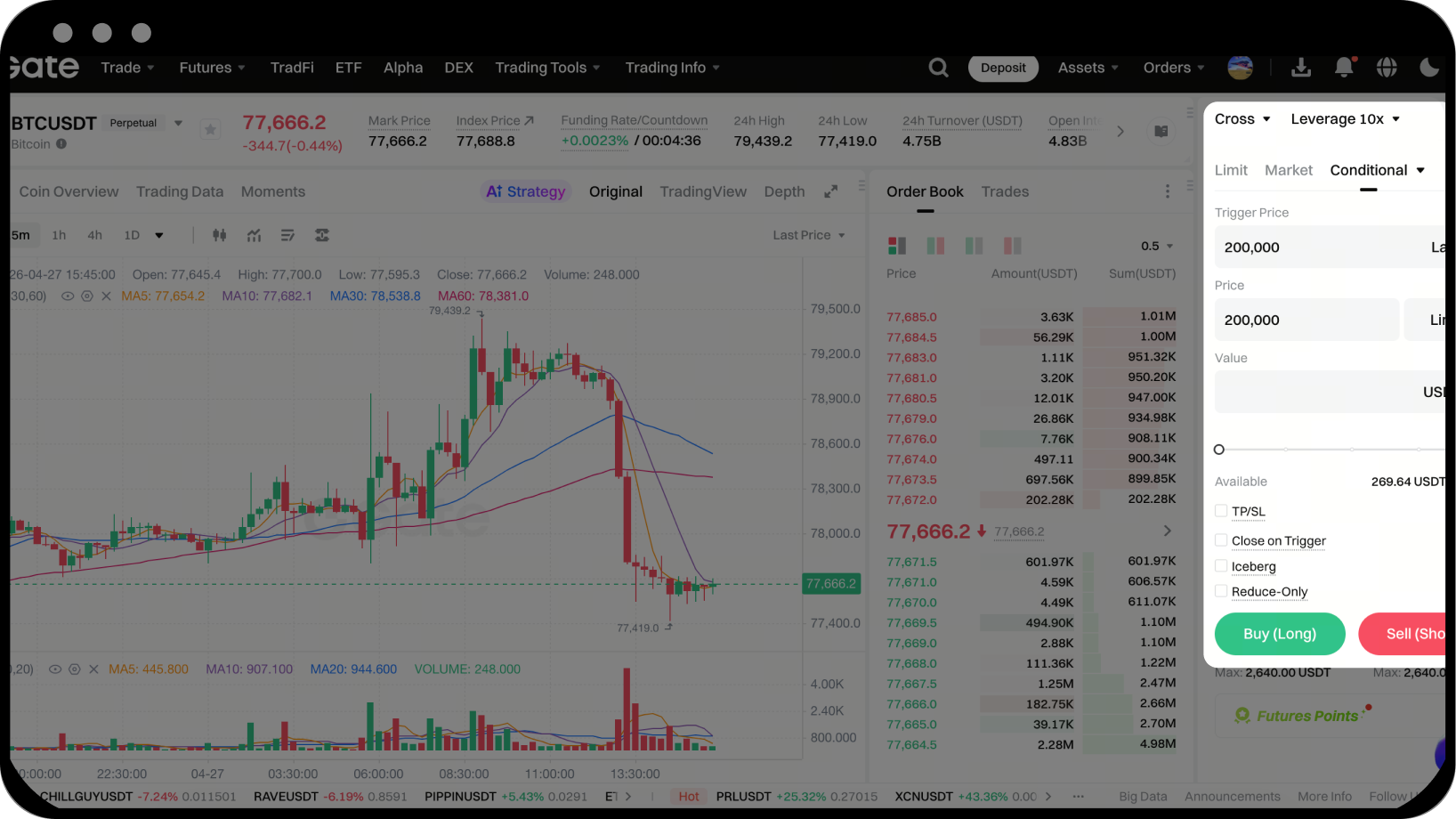
Step 3: Set Order Parameters
- Choose the order type:
- Limit: Enter both the specific order price and quantity
- Market: Only enter the order quantity; the system will execute at the best available market price
- Based on your selected order type, enter the corresponding order price (for limit orders) and quantity
- Click the "Buy/Long" or "Sell/Short" button to submit your order
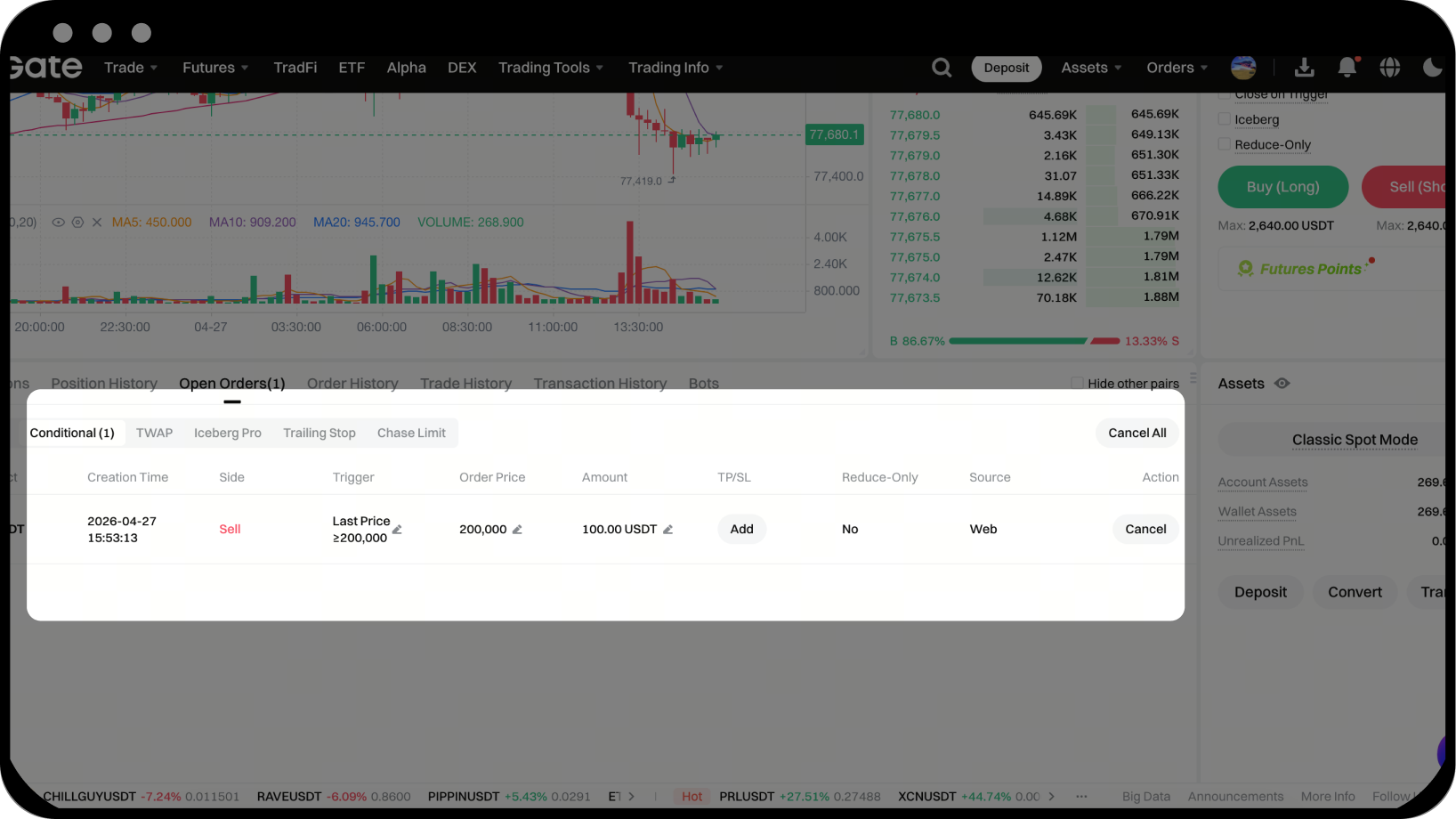
Step 4: View and Manage Conditional Orders
- Before the condition is triggered: Check the order status under "Current Orders" → "Conditional Orders"
- After the condition is triggered: View order execution under "Current Orders" → "Regular Orders"
- To cancel an order, click the "Cancel" button next to the respective order
Notes
- Fund Usage: Conditional orders do not occupy position or margin before being triggered. Funds are only reserved after the condition is met and the order is created.
- Trigger Rules: If the entered trigger price is greater than the current last price (or mark price), the condition is "greater than or equal to (≥)"; if the trigger price is less than the current last price (or mark price), the condition is "less than or equal to (≤)".
- Validity Check: After a conditional order is triggered, the system will check order validity (such as account balance, risk rate, etc.). Only orders that pass the check will be created.
- Position Mode Compatibility: The operation method for conditional orders is the same in both one-way and two-way position modes.
- Platform Rights: Gate reserves the final interpretation rights for this product.
Frequently Asked Questions
Q1: What's the difference between a conditional order and a regular order?
A: A conditional order is a type of strategy order that only creates a regular order automatically when the market price reaches your set trigger price. Before the condition is triggered, it does not occupy your margin or position.
Q2: Why wasn't my conditional order filled after being triggered?
A: Once triggered, a conditional order becomes a regular order, but whether it gets filled depends on market conditions. If you set a limit order, it will only be filled if the market price reaches your specified order price. If you want to ensure execution, consider using a market order.
Q3: Can conditional orders be used for both opening and closing positions?
A: Yes. Conditional orders can be used to plan both opening and closing positions. You can flexibly set trigger conditions based on market trends to manage your positions.
Disclaimer
The content provided herein is for reference and educational purposes only and does not constitute any financial, investment, trading, or legal advice, nor does it constitute an offer or solicitation to buy or sell any digital assets. Gate makes no express or implied representations or warranties regarding the accuracy, completeness, or timeliness of the information contained herein. Product features, interfaces, rules, and fee structures may be updated or adjusted at any time. Please refer to the latest announcements and the actual information displayed on the Gate platform for the most accurate details.
Digital asset investments involve significant risk, and prices may fluctuate substantially. You may lose the entire amount of your investment. Please make decisions cautiously based on your own financial situation and risk tolerance after fully understanding the associated risks. If necessary, you are advised to consult an independent professional financial or legal advisor.
For more information about potential risks, please refer to Gate's Risk Disclosure and User Agreement.
